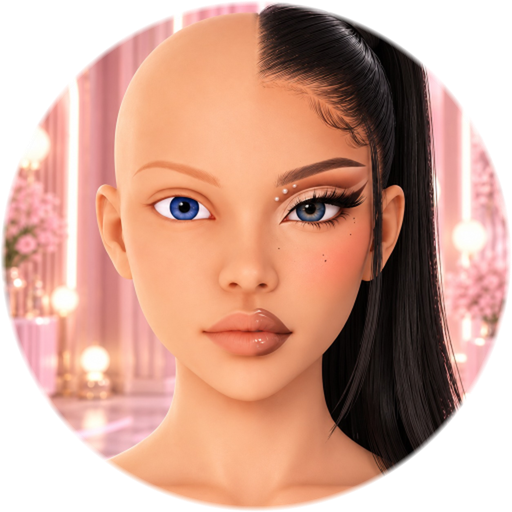
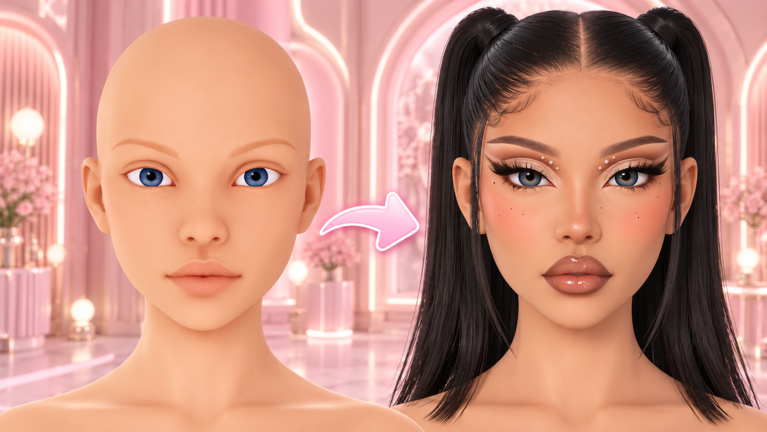
- The makeup editor lets you paint your own makeup looks onto your avatar’s face — colour by colour, layer by layer.
- You can adjust and redo your design before the contest ends; nothing is locked in until the timer runs out.
- Specific tool names and sliders are only authoritative inside the game — this tutorial teaches the workflow, not memorised button labels.
- Pair your look with the hair and lashes guide.
Painting a Look, Step by Step
- Start from a clean base
Begin with a simple, even base. A clean canvas keeps later layers sharp instead of muddy, exactly like real makeup application.
- Block in large shapes
Lay down the big colour areas first — lid colour, blush placement, lip shape. Save fine detail for later so you can still rebalance the whole face.
- Add liner and definition
Define the eyes and lips once the shapes are set. Crisp edges are what make an entry read as finished rather than sketched.
- Balance the palette
Step back and check the look as a whole. Two or three harmonious colours beat ten competing ones — especially at voting-screen size.
- Redo what isn't working
If one element is fighting the rest, rework it instead of adding more. The redo window exists for exactly this.
Colour Choices That Survive the Voting Screen
Voters judge your entry at a glance, so choose colours that read instantly:
- Pick a family, not a fight. Base, one accent, one highlight — carried through eyes, lips and blush.
- Match the theme’s temperature. Warm themes take corals and golds; cool ones take pinks, lilacs and blues.
- Contrast the focal point. Whatever the theme emphasises — eyes or lips — give it the strongest contrast and keep everything else quieter.
- Test against your hair colour. A palette that works on paper can disappear next to the wrong hair shade; the hair guide covers matching them.
Before, After and the Redo Window
Think of every entry as a before-and-after: the before is your clean base, the after is the finished, theme-matched glam. The difference between the two is planning, not luck — which is why the how-to-win guide tells you to reserve the last quarter of the timer for clean-up.
If the clock is running out and the look isn’t reading, simplify: remove one element rather than rushing two more. An entry with a clear focal point beats a rushed complex one every time.
Can I redo my makeup after submitting?
You can rework a design before the contest timer ends. Nothing about specific post-submit editing controls has been officially documented — but redoing during the round is part of the editor's design.
Do I need a PC to use the makeup editor?
No. The game is built to work well on all device types, including phones and tablets.
What's the most common beginner mistake?
Too many colours. Two or three harmonious colours read better on the voting screen than ten competing ones.
How do I match my makeup to a theme?
Name the theme's visual elements first — then make those unmistakable in your look. See the themes page for style directions and palettes.